Managing badges and categories is now more flexible and easier to keep organized.
We've introduced drag-and-drop sorting for both Badge Templates and Categories, giving you greater control over how information is presented throughout your event setup.
Sort Badge Templates Your Way
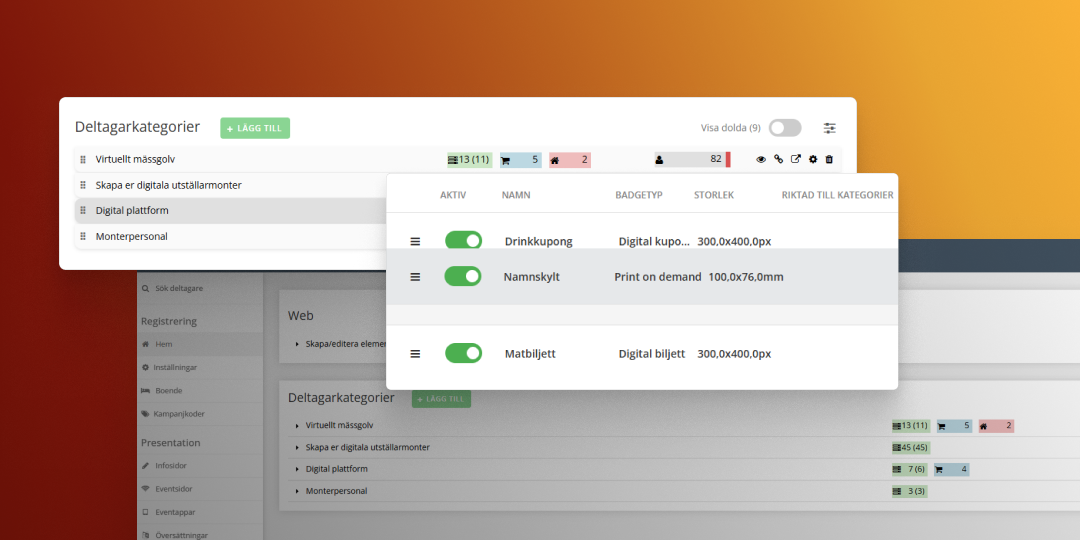
Badge Templates can now be reordered using drag and drop. The selected order is reflected across several parts of the platform, ensuring a more consistent experience for both organizers and participants.
The custom order is applied in:
- The Event App
- Confirmation emails
- Badge reports
- SMS views
- Badge links in sent emails
Please note that the Check-in view is not affected by this change.
To make badge management easier in larger events, the Badge Template list will now automatically display Active and Inactive tabs when there are at least 12 badge templates, including four or more inactive templates.
Improved Category Management
Categories can now also be sorted using drag and drop, making it easier to prioritize and structure your setup.
In addition, categories that are no longer actively used can be hidden from the main view to reduce clutter. Hidden categories remain available and can be displayed at any time using the Show Hidden Categories option. When shown, hidden categories appear in light grey to clearly distinguish them from active ones.
Why This Matters
These improvements help keep your event configuration organized, especially in larger projects with many badge templates and categories. With fewer distractions and more control over ordering, it's easier to maintain a structured and efficient administration experience.
How to use the feature
Getting started is simple:
- Log in to your Trippus admin panel and open an event.
- To manage categories, click the blue "Manage Categories" button in the top-right corner and drag and drop categories to change their order. You can also toggle the eye-icon to hide/show categories.
- To manage badge templates, go to Badges in the event menu and use the drag handle on the left to reorder your badge templates.
Log in to your Trippus admin panel and try it out today!
.png)


.png)


